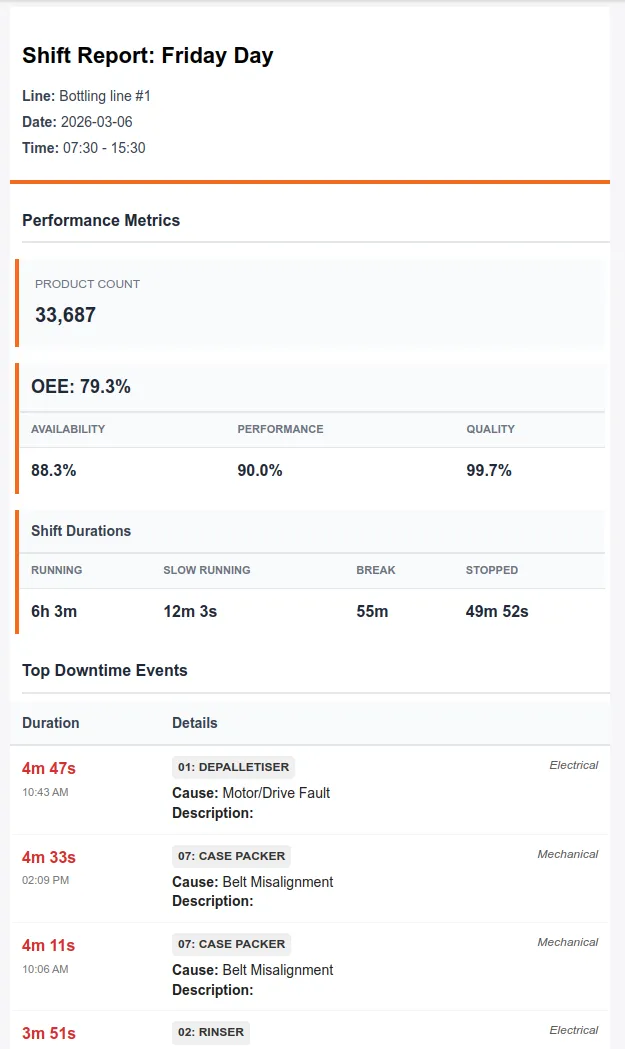
Shift Reports
Shift reports are sent via email at the end of each shift, they provide a snapshot of the shift, including important metrics, such as OEE and products produced, as well as downtime events and shift logs. A dashboard, filtered on the shift can be attached to the email.
Configuration
Section titled “Configuration”Configure shift reports from the Reports → Shift Report Configuration
From the list-view you can see the configured shift reports and their state. To create a new report, click the + Shift Report Configuration button in the top right of the interface. To edit a report click the pencil icon in the Actions column.
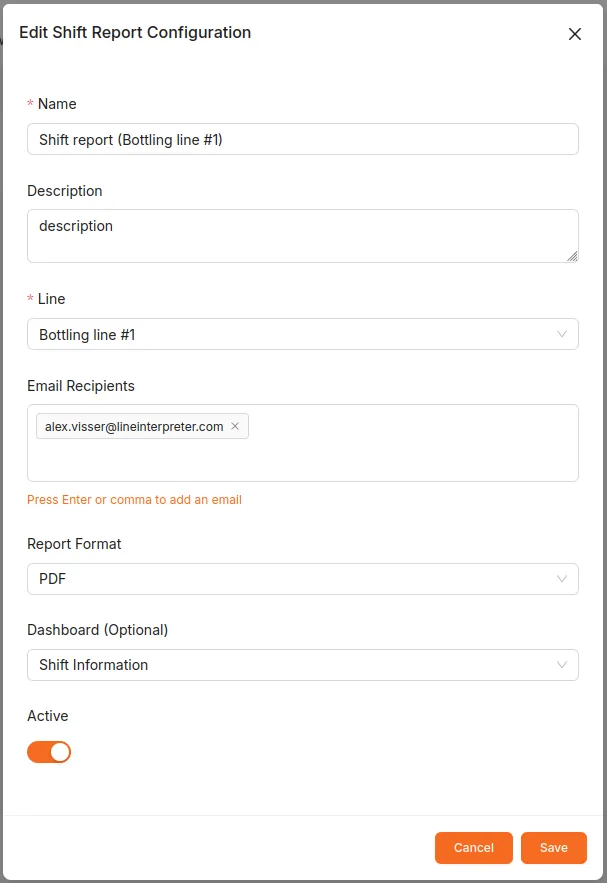
Shift reports are scheduled to be sent approximately 5 minutes after the end of each shift, and should come from the email noreply@mail.lineinterpreter.com